AI voice typing — koedesk AI voice keyboard — koedesk
The keyboard alone
is no longer enough.
Working with AI means communicating more than ever. Press a key, speak, release — your words land as text at the cursor, right in the app you're using. Tap the mic on your keyboard and just speak. Claude, ChatGPT, Slack — your words become text right inside the app.
Windows / iPhone / Android ▾ Mac / iPhone / Android ▾
Free to start — 5 minutes a day, no expiry, no credit card. Same accuracy as the paid plan.
How it works
Press. Speak. It's typed.
One key is all you have to learn.
01 PressTap
Hold your key (Mac=Fn / Windows=Right Alt — you can change it) and start speaking. No app to open, no window to switch to.Tap the mic on the keyboard. Start right where you are — any app, anywhere you can type (except secure fields like password boxes).
02 SpeakSpeak
A floating bar shows a live waveform while it listens. Long passages are fine. Filler words (“uh”, “um”) are removed automatically.The waveform shows it's listening. Long instructions are fine. Filler words are removed automatically.
03 It's typedTap again
Release the key and your words appear at the cursor — naturally punctuated, ready to send.Your words land in the input field as natural, punctuated text.
On iPhone / Android, just tap the mic on the keyboard.On Mac / Windows, hold a key and speak. Tap again, and what you said is typed. Same engine and same custom dictionary as the desktop.Mac=Fn / Windows=Right Alt (configurable). Release, and the text appears at your cursor. Same engine, same custom dictionary.
Why koedesk
How is this different
from built-in dictation?
Your Mac and iPhone already ship with voice input. We built koedesk anyway, for three reasons.
Accuracy you don't have to fix
Two engines to choose from — ElevenLabs Scribe v2 (the default) and Microsoft MAI Transcribe 1.5. Both deliver top-tier measured accuracy on our public benchmark across languages, including English and Japanese. If you have to re-speak and hand-correct, that isn't really “input” anymore.
Works in every app
There is no “supported apps” list. Notes, Slack, Claude Code — anywhere you can type is a target (except secure fields like password boxes, which the OS protects). No manual copy-and-paste.
Learns your vocabulary
Put product names, jargon and people's names in the custom dictionary. It sharpens recognition of the words built-in dictation struggles with, and stays in sync across Mac, Windows and your phone.
Real recordings
Not staged. Real recordings.
All real work, no scripts. We publish on YouTube and X.
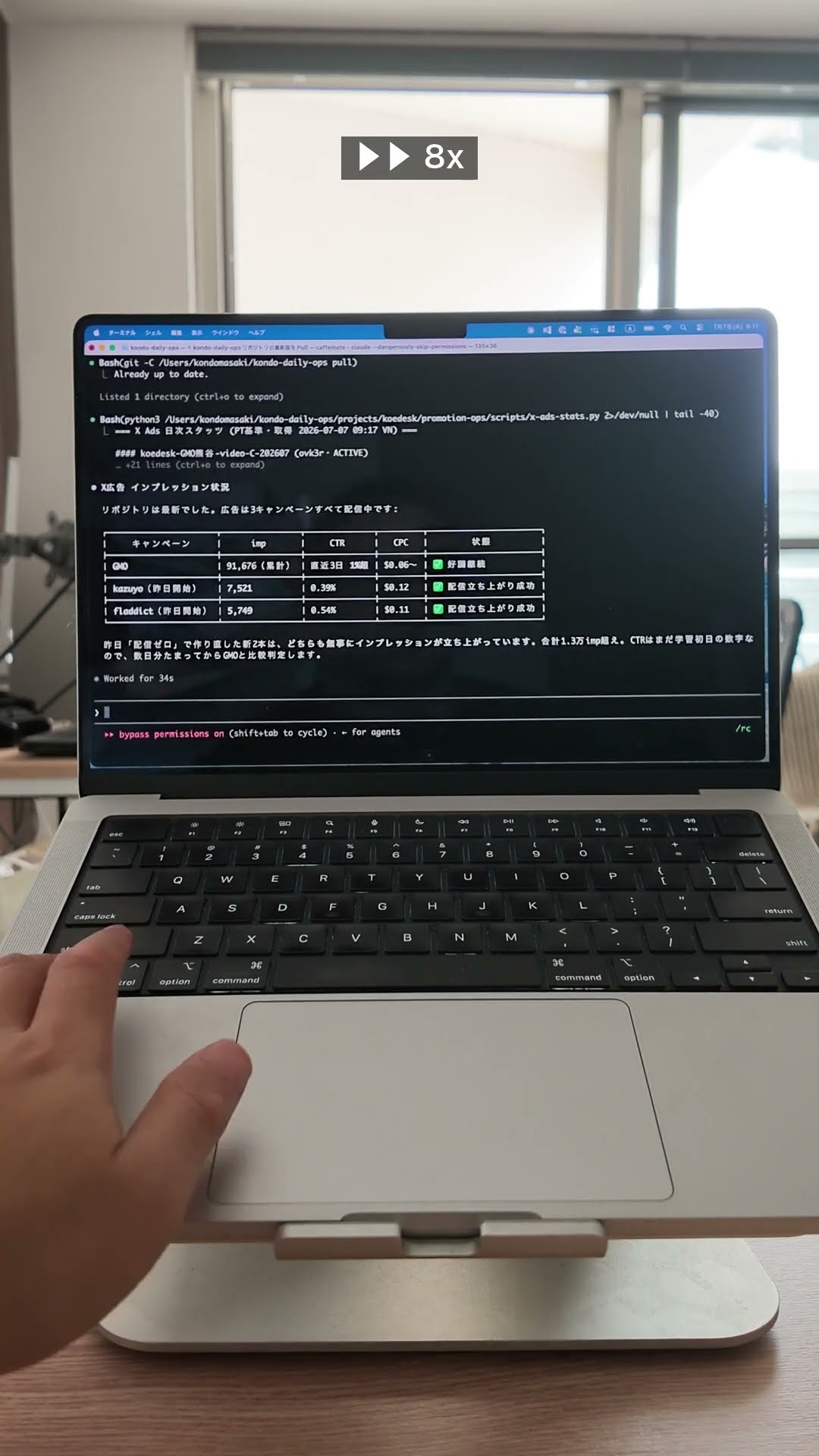
Command an AI agent by voice.
From store-review checks to git push — every instruction to Claude Code, spoken. Prompts are long. Talking beats typing.
Mac × Claude Code ・ Watch on YouTube
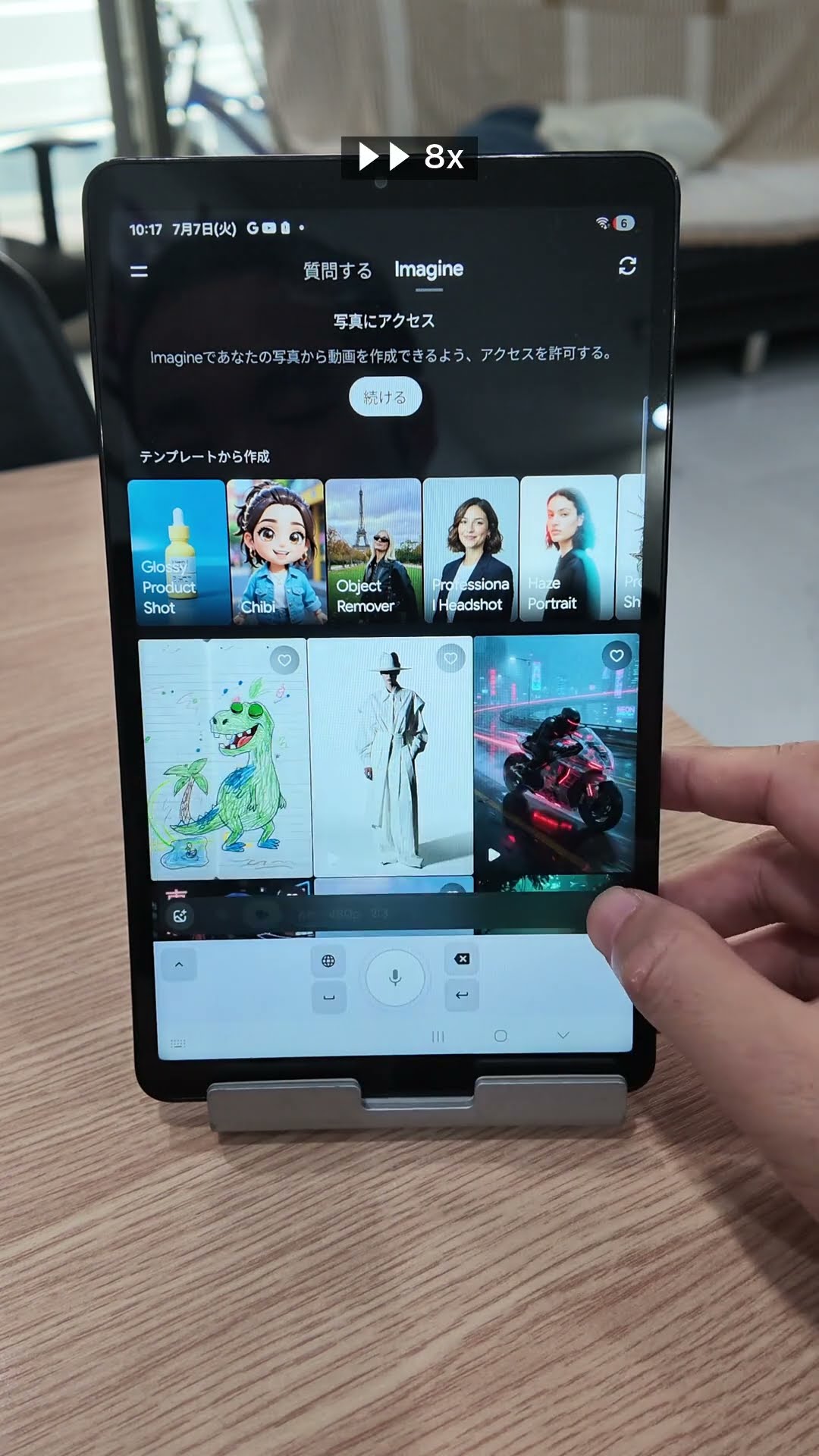
A child's drawing comes alive.
We just asked: “take the dinosaur out of the picture and make it move.” No typing — just talking.
Galaxy Tab × Grok ・ Watch on YouTube
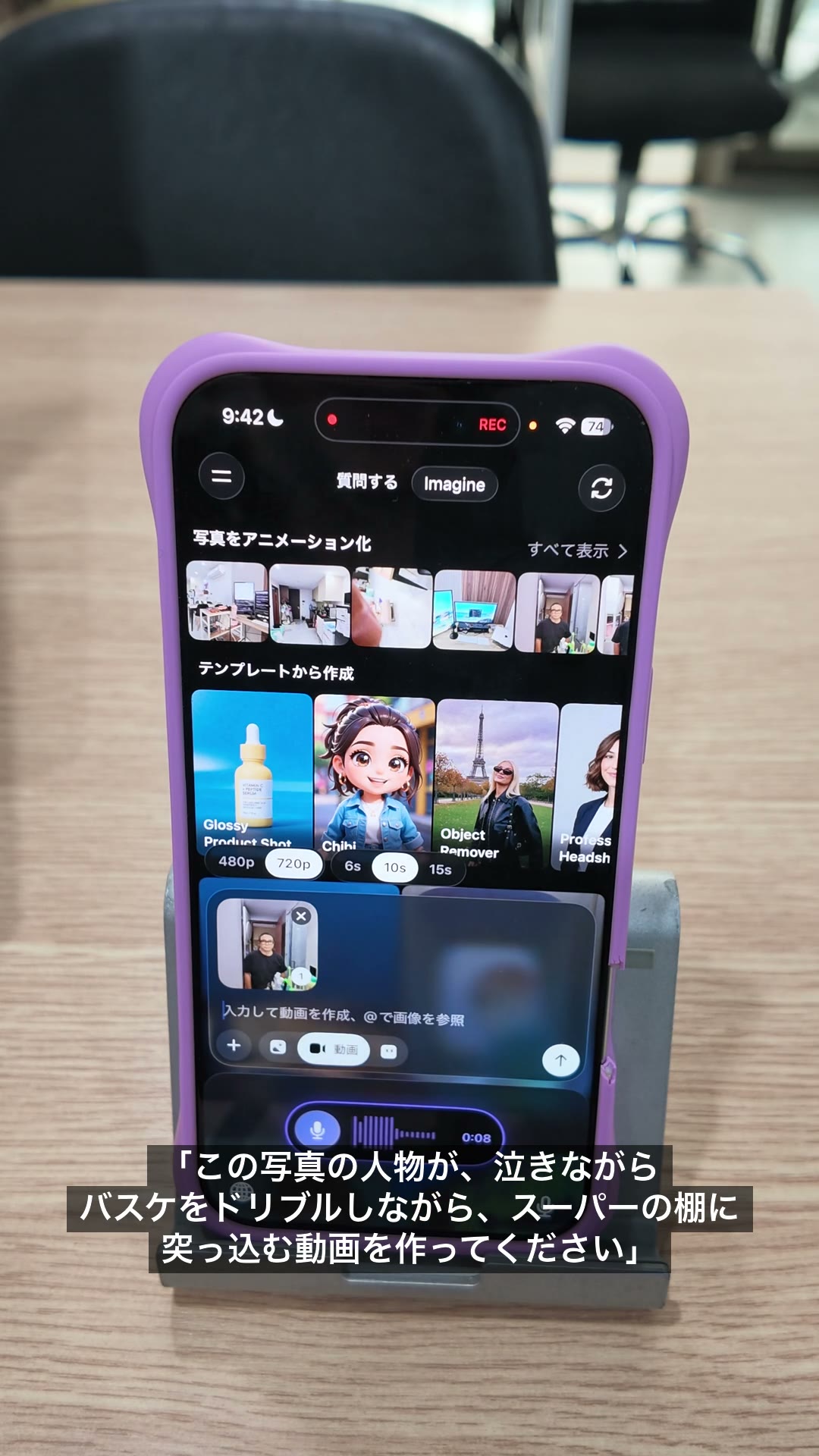
Say the idea exactly as it comes.
“Make a video of me crying while crashing into a shelf playing basketball” — even the absurd takes ten seconds to say.
iPhone × Grok ・ Watch on YouTube
Accuracy
We prove accuracy in public.
Every app claims “high accuracy”. So we decided to measure it ourselves and publish the data.
13 engines × 12 languages — 28,400 measurements, published on Hugging Face. The methodology is open too: anyone can reproduce the results.
koedesk supports 36 languages, and for 12 major ones we measure per-language accuracy and publish the results. In English, our default engine ranks #2 of all models on the third-party AA-WER benchmark (2.2% WER) — with our second engine, MAI Transcribe 1.5, right behind at 2.4%.
We publish everything — including the languages where we don't win.
That's why you can trust the results where we do.
English word error rate (WER)
Lower is better · measured on our public benchmark (200 utterances per engine, July 2026)
gpt-4o-transcribe
MAI Transcribe 1.5
default engine
in koedesk
T1 = statistically tied top group (overlapping 95% CIs). 6 of 12 engines shown, from the English results of our public benchmark stt-bench. All 13 engines and methodology →
Pricing
Free is not a trial.
Same engine, same accuracy. Up to 5 minutes a day, free forever. If you keep hitting the cap, go Pro.
FREE
$0
- 5 min/day · no expiry
- Same engine as paid (Scribe v2 / MAI 1.5)
- Custom dictionary
- No credit card required
PRO FOR TEAMS
$10 /seat/mo
- Everything in Pro
- One consolidated invoice
- Central license management console
FAQ
Your questions, answered up front.
Is the free plan less accurate?
No. The engine is exactly the same as the paid plan. The only difference is the 5-minutes-a-day cap. Not shipping a degraded free tier is a matter of policy for us.
How accurate is it, really?
We measure 12 languages, including English and Japanese, on our own benchmark and publish the full dataset. In English our engine ranks #2 of all models on the third-party AA-WER benchmark (2.2% WER); in Japanese it is in the statistically tied top group (T1) of 13 engines. Don't take our word for it — check the reproducible results.
Which apps does it work with?
There is no supported-apps list. koedesk types into wherever your cursor is, so it works anywhere you can type. The exception is secure fields — password boxes and the like — that the OS or app protects.
Does it work offline?
No. The high-accuracy engine runs in the cloud, so an internet connection is required.
Is my audio stored?
No audio is stored on koedesk's servers. Audio is sent to the speech-recognition engine (ElevenLabs, or Microsoft Azure when the MAI Transcribe model is selected) for transcription, and its handling after that follows their policy. Temporary data on your device is deleted right after processing. See the privacy policy for details.
Is it easy to cancel?
Yes — cancel anytime, with no discount offers or retention steps. App Store / Google Play subscribers cancel from the app's subscription settings; web (card) subscribers cancel from the dashboard.
Get started
From today, write by speaking.
Windows / iPhone / Android ▾ Mac / iPhone / Android ▾
Free to start — 5 minutes a day, no expiry, no credit card. Same accuracy as paid.